
New Examples
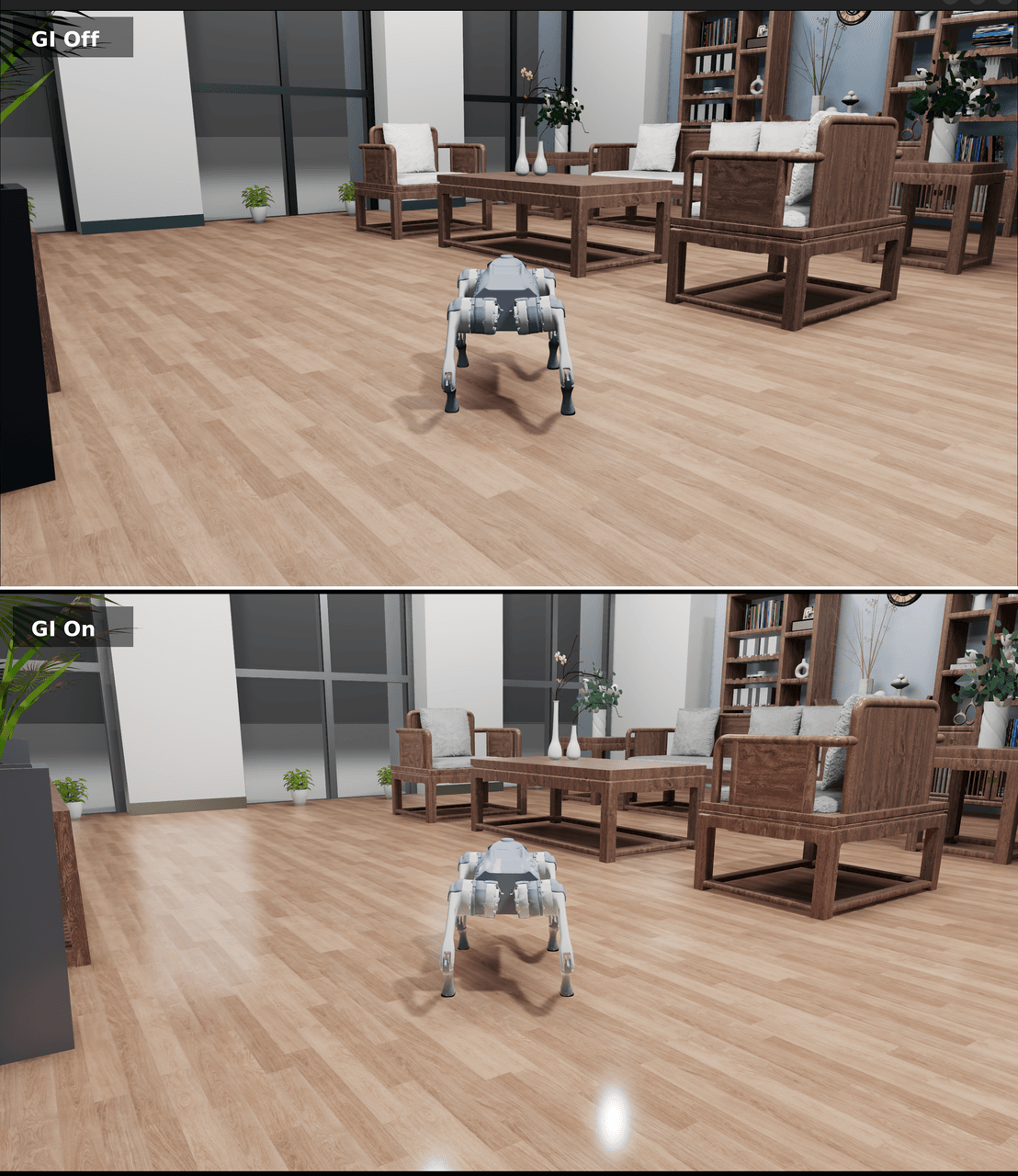
Global illumination adds indirect lighting to simulated scenes — light bouncing between objects, color bleeding, and ambient occlusion. This matters especially for users training policies from visual observations (RGB images):
- Narrowing the sim-to-real gap: in the real world light bounces between objects many times, so images from a renderer without GI differ markedly from real scenes. With SSGI on, the lighting distribution of simulated images is closer to real environments, so visual policies generalize better when transferred to hardware.
- More realistic visual observations: color bleeding and soft shadows between objects bring visual features such as depth and semantic segmentation closer to real sensor output, helping train more robust perception modules.
Motion tracking on the Unitree G1 humanoid. A pre-recorded reference trajectory is loaded and an ONNX policy network drives the G1's full-body joints to track it in real time, demonstrating the simulation control pipeline for a high-DOF humanoid. Run with uv run examples/control/g1_motion_tracking.py.
An ONNX policy network controls the 6-DOF RM65 arm to open a cabinet door, demonstrating observation construction and action execution for a manipulation task. Run with uv run examples/control/rm65_open_cabinet.py.
An ONNX policy drives the 24-DOF Shadow Hand to rotate a cube from its initial pose to a target pose, demonstrating high-dimensional dexterous manipulation in simulation. Run with uv run examples/control/shadow_hand_repose.py.
A new TerrainScanner class efficiently batch-scans terrain height relative to the robot's reference frame, with configurable alignment mode (yaw) and output format (height). A companion visualization tool overlays sampled points and height values as mocap blocks to help debug terrain-perception policies. Run with uv run examples/control/robot_locomotion.py --robot=g1 --scene=stairs.